

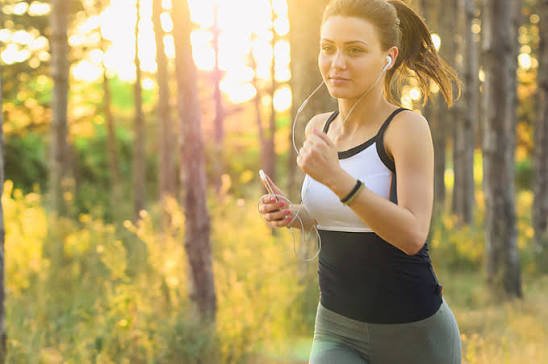
A smartphone can do much more than play music or show directions during a workout. With the right app, it can also become a practical running and cycling tracker.
GPS fitness apps use the location technology already built into modern phones to record outdoor activity. They can measure how far you travel, how long the workout lasts, the route you take and, in many cases, your pace or speed.
For people who want to track running, walking or cycling without buying another device, this GPS workout app makes a smartphone a surprisingly capable fitness tool
What Is a GPS Fitness App?
A GPS fitness app is designed to record outdoor movement using your phone’s location data.
Once you start an activity, the app begins tracking your position as you move. It then uses those location points to create a route and calculate useful workout information.
Depending on the app, this may include:
- Total distance
- Workout duration
- Running pace
- Cycling speed
- Route map
- Activity history
The phone provides the GPS hardware, while the app turns that information into something easier to understand.
How Smartphone GPS Tracks Your Workout
GPS works by using signals from satellites to estimate your location.
During a run or ride, your smartphone records your position repeatedly. As you move, those points create a digital path.
The app can then calculate the distance between each recorded point and combine them to estimate how far you travelled.
This is also how the app can show your route on a map after the workout.
The process happens automatically in the background, which means the user only needs to start the activity and carry the phone.
How Running Apps Measure Distance and Pace
For runners, distance and pace are two of the most useful measurements.
Distance Tracking
The app estimates distance using the GPS points recorded throughout the run.
If you move from one location to another, the app calculates the distance between those positions and keeps adding the values together until the workout ends.
This gives you your total running distance.
Pace Tracking
Pace tells you how long it takes to cover a certain distance.
For example, if you run one kilometre in six minutes, your pace is six minutes per kilometre.
A GPS fitness app can calculate this automatically using the distance covered and the time taken.
Some apps may also show average pace for the full workout or provide live pace estimates while you are running.
How Cycling Apps Measure Speed
Cyclists tend to look at speed more often than pace.
The app uses the same basic GPS data but presents the result differently.
By comparing distance with time, it can calculate values such as:
- Current speed
- Average speed
- Maximum speed
- Total ride distance
- Ride duration
This makes a smartphone useful for casual cyclists who want to record their rides without buying a dedicated cycling computer.
Your Smartphone Already Has Most of the Hardware
One reason GPS fitness apps are so accessible is that modern smartphones already include the main technology needed for basic outdoor tracking.
This usually includes:
GPS
GPS provides the location data used to record routes and distance.
Motion Sensors
Accelerometers and other motion sensors can help detect movement and support activity tracking.
Mobile Data
Internet connectivity can support maps, route loading and cloud syncing, although basic GPS tracking may not always require a constant connection.
Large Display
Compared with many fitness watches, smartphones offer a larger screen for reviewing route maps and workout statistics.
Because this technology is already built into the device, users can start tracking activities without purchasing additional hardware.
How Fitness Apps Turn Raw GPS Data Into Useful Information
Raw GPS coordinates would not be very useful to most people.
The fitness app takes that data and presents it in a format that is much easier to understand.
For example, a GPS fitness app such as Further Faster can be used to record activities including running, walking and cycling while keeping information such as route, distance, pace and workout duration together in one place.
This makes it easier to compare workouts and see whether activity levels are changing over time.
The biggest advantage is convenience. Instead of manually working out distance or remembering how long a route took, the app records the details automatically.
Why Activity History Matters
Tracking one workout can be useful, but keeping a history of activities is where fitness apps become more valuable.
A saved activity log allows you to compare sessions over time.
You may notice that:
- Your running distance is increasing.
- Your average pace is improving.
- Your cycling sessions are becoming longer.
- You are exercising more consistently.
This can make progress easier to recognise.
Without recorded data, small improvements are easy to overlook.
Smartphone Fitness Apps vs Smartwatches
Both smartphones and smartwatches can track outdoor fitness, but they serve slightly different needs.
Why Some People Prefer Smartphones
A smartphone does not require another purchase.
It also offers a large screen, access to maps and the ability to combine fitness tracking with music, messaging and navigation.
For casual users, that may be more than enough.
Why Some People Prefer Smartwatches
Smartwatches are easier to check while moving because they sit directly on the wrist.
Many also include sensors such as optical heart-rate monitors and may provide more advanced training information.
Serious runners or cyclists may find these additional features useful.
However, if the main goal is to record distance, pace, speed and routes, a smartphone app can still be a practical alternative.
How Accurate Are Smartphone GPS Fitness Apps?
Smartphone GPS is generally suitable for everyday fitness tracking, although it is not always perfectly accurate.
Several things can affect the quality of the recorded route.
Buildings
Tall buildings can interfere with satellite signals and sometimes make the route appear slightly different from the actual path.
Trees
Dense tree cover can also reduce GPS accuracy, especially on trails.
Phone Position
Where the phone is carried may influence signal quality.
A phone kept deep inside a backpack may not perform exactly the same as one carried in an open pocket or mounted on a bike.
Battery-Saving Settings
Some phones restrict background apps to save battery.
If a fitness app is heavily restricted, it may stop recording properly when the screen is turned off.
Small differences between apps and devices are normal, particularly over longer routes.
How to Get Better GPS Tracking Results
A few simple steps can improve the quality of activity recordings.
Enable Accurate Location Access
Make sure the fitness app has the location permissions it needs.
Without reliable access to GPS data, route tracking may be incomplete.
Give GPS Time to Connect
Before starting the workout, allow a few seconds for the phone to establish a location signal.
This may help avoid missing the first part of the route.
Check Background App Settings
If activities keep stopping unexpectedly, check whether the phone is limiting the app in the background.
This is particularly important for long rides or runs.
Start With Enough Battery
GPS can increase battery usage.
A fully charged phone is especially important when recording longer outdoor activities.
GPS Apps Can Make Fitness Goals Easier to Measure
Fitness goals are often easier to follow when they are specific.
Instead of simply trying to “run more,” someone could aim to complete 15 kilometres each week.
A cyclist could set a goal to ride three times a week.
A walker might try to increase average route distance gradually.
GPS tracking provides the numbers needed to measure these goals.
This does not mean every workout needs to be faster or longer than the previous one. Consistency is often just as important.
The value of the app is that it provides a clear record of what has actually been completed.
Do You Need Extra Fitness Equipment?
Not necessarily.
Fitness watches, heart-rate monitors and cycling computers can provide more detailed information, but they are not essential for everyone.
If your main goal is to track basic outdoor activity, a smartphone may already have everything you need.
That makes GPS fitness apps particularly useful for beginners or casual users who want to start measuring workouts without investing in additional technology.
You can always add more specialised equipment later if your training becomes more advanced.
Choosing the Right GPS Fitness App
Not every fitness app offers the same experience.
Before choosing one, consider what you actually want to track.
A runner may care most about distance and pace.
A cyclist may want speed and route information.
A walker may simply want an easy way to save activities and review progress.
It is also worth considering:
- Ease of use
- Battery consumption
- Activity types supported
- Route display
- Workout history
- Compatibility with other health or fitness services
The best app is usually the one that gives you the information you need without making the tracking process unnecessarily complicated.
Final Thoughts
GPS fitness apps have made outdoor activity tracking much more accessible.
By using technology already built into a smartphone, they can record routes, calculate distance, measure running pace and estimate cycling speed.
For many runners, walkers and cyclists, this means there is no need to buy a dedicated tracking device just to understand basic workout performance.
A smartphone may already contain most of the technology you need. The app simply turns that technology into useful fitness data.